Controls
- Use the WASD keys or the arrow keys to move around
- Use left click to shoot
- Use G to throw grenade
- Press F to pick up an item
- Use number keys to switch weapon
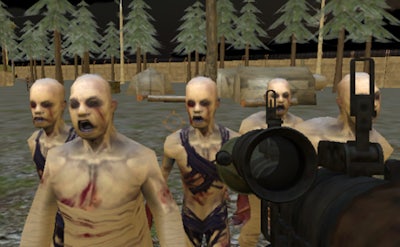


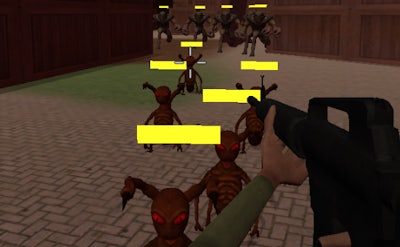
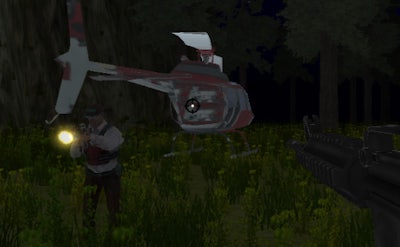
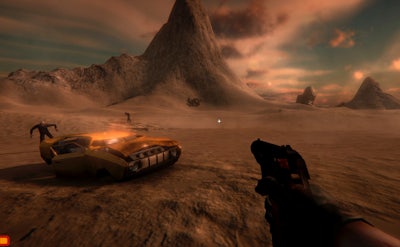
Chaos erupts when a quiet countryside town turns into a nightmare playground for the undead. You’re the lone survivor, armed with a gun and a fierce will to live. Every heartbeat counts as you battle swarms of Zombie hordes in a fully 3D environment. This isn’t just another Survival shooter – it’s a relentless test of reflexes, tactics, and raw firepower. If you crave the adrenaline rush of a true FPS, this is the battleground you’ve been waiting for.
Master the controls, master the chaos. Movement is fluid, aiming is precise, and every action feels weighty. The game’s control scheme keeps you locked in the action without missing a beat.
Surviving the first wave is just the beginning. Prioritize high‑damage guns early to thin out clusters before they overwhelm you. Keep an eye on your ammo count – every magazine matters, and a well‑timed grenade can turn a crush of zombies into a pile of ash. Upgrade your gear at safe zones; a reinforced armor piece can be the difference between a quick death and a hard‑earned victory. Learn the spawn patterns: zombies tend to rush from the north‑west corridor, while the south‑east alley provides occasional loot drops. Use the environment to your advantage – barricade doors, shoot down weak walls, and create choke points. As you progress, the game introduces tougher variants that require headshots and strategic positioning. Remember, staying mobile is key; standing still makes you an easy target.
Ready to prove you have what it takes? Jump into the apocalypse, lock and load, and dominate the undead. Zombie Survival Ultimate awaits – lock in, fire away, and survive at all costs.

We use cookies to help you navigate efficiently and perform certain functions. You will find detailed information about all cookies under each consent category below.
The cookies that are categorised as "Necessary" are stored on your browser as they are essential for enabling the basic functionalities of the site.
Necessary cookies are required to enable the basic features of this site, such as providing secure log-in or adjusting your consent preferences. These cookies do not store any personally identifiable data.
Functional cookies help perform certain functionalities like sharing the content of the website on social media platforms, collecting feedback, and other third-party features.
Analytical cookies are used to understand how visitors interact with the website. These cookies help provide information on metrics such as the number of visitors, bounce rate, traffic source, etc.
Advertisement cookies are used to provide visitors with customised advertisements based on the pages you visited previously and to analyse the effectiveness of the ad campaigns.
We also use third-party cookies that help us analyse how you use this website, store your preferences, and provide the content and advertisements that are relevant to you. These cookies will only be stored in your browser with your prior consent.
You can choose to enable or disable some or all of these cookies but disabling some of them may affect your browsing experience.