Crush the Undead in Zombie Drive Survivor
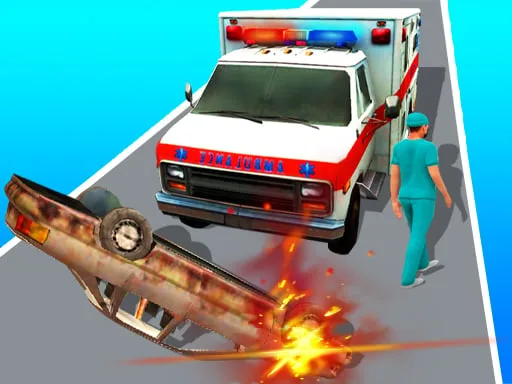
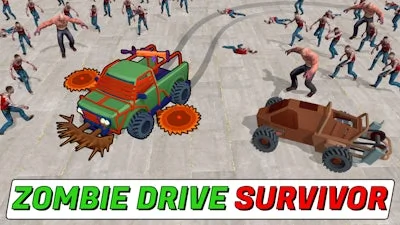
The apocalypse is here, and your only hope is four wheels and a lot of horsepower. In Zombie Drive Survivor, you don't just drive; you become a high-speed engine of destruction. Navigate through massive hordes of undead using a powerful car to destroy everything in your path. It is a high-octane top-down 3D experience where every second counts. If you hit too many obstacles or fail to manage your vehicle, a massive crash could end your run. Stay sharp, keep moving, and make sure you are the one left standing when the dust settles.
Master the Chaos of Zombie Drive Survivor
Controlling your vehicle is intuitive, allowing you to focus entirely on the killing action. Whether you are drifting around corners or slamming into a crowd, precision is key to your survival. Use these controls to dominate the battlefield:
- PC Controls:
- W / Up arrow key: Accelerate
- S / Down arrow key: Move backward
- A / Left arrow key: Turn left
- D / Right arrow key: Turn right
- Space: Handbrake
- 1: Choose the left upgrade
- 2: Choose the right upgrade
- 3: Choose both upgrades
- Mobile Controls:
- Switch toggle: D / R for forward / backward movement
- Tap left screen: Turn left
- Tap right screen: Turn right
- Note: The car accelerates automatically in mobile mode.
Survival Strategy and Upgrades
To survive a horde survival scenario, you need more than just speed. As you smash through the undead, you must collect the EXP they drop. This allows you to level up mid-run and pick game-changing upgrades. Use your coins to unlock faster, tougher cars and heavy-duty weaponry. Equip machine guns, shotguns, rocket launchers, or even Molotov cocktails to clear the streets. If you want to test your skills, try the Level mode for steady progression, or jump into Endless Mode to see how long you can last against infinite waves of enemies. You can find even more intense action at UfreeGames.
Don't let the undead catch you sleeping. Grab the wheel, pick your weapons, and show these zombies what real power looks like. Play Zombie Drive Survivor now and see if you have what it takes to outlast the apocalypse!