Controls
- S or left mouse button = shoot
- C or right mouse button = slow motion
- Space = use power
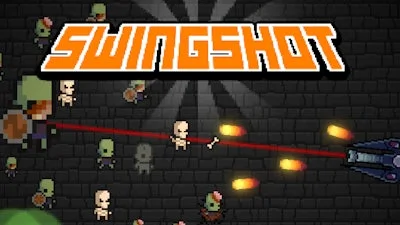


Pixel‑perfect chaos meets old‑school arcade action. In Swingshot you command a rapid‑fire cannon against relentless zombie hordes. Each wave spikes the pressure, demanding split‑second aim and clever timing. Miss a shot? The undead swarm. Nail the shot? The crowd erupts. This is why you’ll stay glued to the screen.
The control scheme is stripped down to the essentials. Master it, then focus on the mayhem.
Winning isn’t just about pulling the trigger. It’s about rhythm, upgrades, and positioning. Start by learning each zombie’s movement pattern. Some shuffle straight, others zig‑zag. Use the slow‑motion toggle (C) to line up perfect shots on the faster types. Save your Space power for boss rounds – the damage spike can clear a cluster that would otherwise overwhelm you.
Upgrade your cannon between levels. The first upgrade boosts fire rate; the second adds a splash radius; the third introduces a piercing bolt that pierces through three zombies. Prioritize the upgrade that matches your play style. If you favor rapid firing, go for fire‑rate first. If you like crowd control, snag splash radius.
Watch the arena edges. Zombies can spawn from any side, but the farthest corners often hide surprise spawns. Keep your cannon angled toward the center, then swivel as new threats appear. The 2D pixel backdrop may look simple, but it hides depth – use background objects for cover when the screen fills with enemies.
Progression rewards keep the loop fresh. Every ten waves you unlock a new visual skin for the cannon, a fresh pixel palette, or a temporary boost that doubles points. High scores earn bragging rights on the global leaderboard, fueling competition among arcade veterans.
Feel the rush, dominate the undead, and claim the top spot. Play Swingshot now and see why UfreeGames’ latest arcade smash is the talk of the pixel community.

We use cookies to help you navigate efficiently and perform certain functions. You will find detailed information about all cookies under each consent category below.
The cookies that are categorised as "Necessary" are stored on your browser as they are essential for enabling the basic functionalities of the site.
Necessary cookies are required to enable the basic features of this site, such as providing secure log-in or adjusting your consent preferences. These cookies do not store any personally identifiable data.
Functional cookies help perform certain functionalities like sharing the content of the website on social media platforms, collecting feedback, and other third-party features.
Analytical cookies are used to understand how visitors interact with the website. These cookies help provide information on metrics such as the number of visitors, bounce rate, traffic source, etc.
Advertisement cookies are used to provide visitors with customised advertisements based on the pages you visited previously and to analyse the effectiveness of the ad campaigns.
We also use third-party cookies that help us analyse how you use this website, store your preferences, and provide the content and advertisements that are relevant to you. These cookies will only be stored in your browser with your prior consent.
You can choose to enable or disable some or all of these cookies but disabling some of them may affect your browsing experience.