Sudoku Puzzle Master – The Ultimate Brain‑Boosting Puzzle
Sharp minds crave challenge. Sudoku Puzzle Master delivers endless rows of number grids that test logic, improve math fluency, and keep your mind humming. Whether you’re a casual player looking for a quick brain break or a dedicated boy‑genius hunting perfect scores, this game tailors each puzzle to your skill level. Play offline or online, anytime you need a mental reset. The reward? Faster thinking, stronger concentration, and the satisfying click of a completed grid.
Sudoku Puzzle Master Mechanics
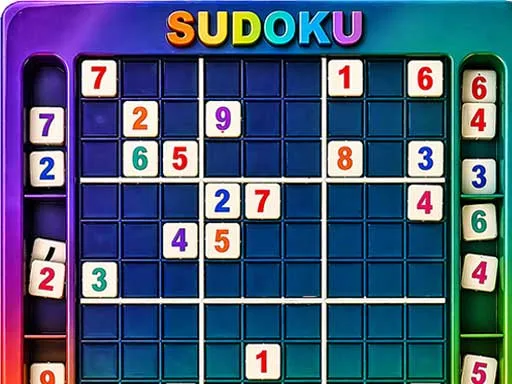
Controls are built for speed and precision. Tap or click where you want to act, then choose your number. The interface adapts to both fingertip taps and mouse clicks, so you can dominate the board on any device.
- Tap / Click a cell – Select a grid space
- Tap / Click a number 1 – 9 – Fill the selected cell
- Pencil Notes mode – Add possible numbers
- Erase button – Remove a number
- Hint button – Get help with a move
Sudoku Puzzle Master Strategy Tips
Winning isn’t just about filling cells; it’s about reading patterns. Start with the easiest rows—those with the most numbers already placed. Scan for hidden singles, then move to naked pairs. Use Pencil Notes aggressively; they reveal hidden math relationships without committing a digit. When a puzzle feels stuck, step back and look for “X‑wing” or “Swordfish” formations; they often unlock the next chain of moves. Gradually increase difficulty to stretch your mind and keep the experience fresh. Remember, each solved grid sharpens the same neural pathways that help with everyday problem‑solving.
Ready to dominate the grid? Sudoku Puzzle Master awaits your next move. Join the community of puzzle lovers, boost your brainpower, and prove you’ve got the ultimate math mindset. UfreeGames brings you a clean, ad‑free arena where every tap counts. Install now and start crushing Sudoku challenges today.
Tap Click a cell ndash Select a grid space Tap Click a number 1 ndash 9 ndash Fill the selected cell Pencil Notes mode ndash Add possible numbers Erase button ndash Remove a number Hint button ndash Get help with a move