SpacePuzzler – Fast‑Fire Match‑3 in Zero‑G
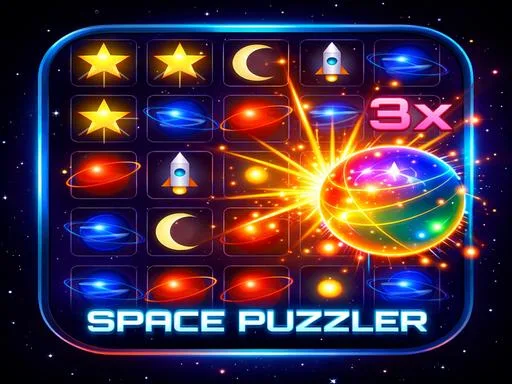
SpacePuzzler throws you into a neon‑bright galaxy where every swipe can spark a chain reaction. Match 3 colorful tiles, blast asteroids, and watch rockets launch from a tiny spaceship cockpit. The game feels like a casual arcade that even kids can pick up, yet the combo system keeps veterans hooked. With hypercasual controls and funny sound bites, each level feels fresh, funny, and surprisingly deep. UfreeGames built this puzzle‑action hybrid to deliver pure, instant fun without the learning curve.
Mechanics
Controls are stripped down to the essentials, so you spend more time matching and less time fumbling with menus. Whether you’re on a phone or a PC, the input feels natural and responsive.
- Mobile Touchscreen - Swipe to swap adjacent tiles - Tap ability icons to activate special powers - Tap buttons to navigate menus
- Desktop Mouse - Click and drag to swap adjacent tiles - Click ability icons to activate special powers - Click buttons t
Strategy
Start each level by scanning the board for the brightest color clusters. Aligning three or more of the same hue not only clears tiles but also fuels the rocket boosters that fire from your spaceship. Prioritize matches that create chain reactions; a single combo can wipe out dozens of obstacles and earn extra stars. Keep an eye on the special ability meter—filling it triggers a massive destroying blast that wipes a whole row or column. Upgrade your abilities between levels to add more firepower and longer combo timers. As you progress, the puzzles introduce new tile types like locked blocks and moving comets, forcing you to think ahead. Master the timing of swaps, and you’ll breeze through the 100+ levels that UfreeGames has crafted.
Hit the launch button, match those colors, and watch the rockets roar. Jump into SpacePuzzler now and prove you’ve got the reflexes to dominate the cosmos.
Mobile Touchscreen - Swipe to swap adjacent tiles - Tap ability icons to activate special powers - Tap buttons to navigate menus Desktop Mouse - Click and drag to swap adjacent tiles - Click ability icons to activate special powers - Click buttons t