Punch Hero: 3D Boxing Action Meets Idle Power‑Ups
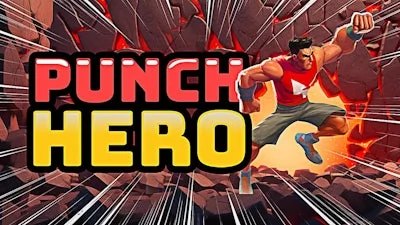
Punch Hero drops you into a neon‑lit arena where every jab shatters enchanted walls. The game blends fast‑paced Boxing mechanics with an Idle progression loop that keeps your stats climbing while you fight dragons and rack up combos. It’s a bite‑size thrill that feels massive, thanks to crisp 3D visuals and a relentless beat. If you crave instant impact and long‑term growth, this title from UfreeGames delivers both in a single, punch‑packed package.
Master the controls, then let the auto‑train take over. Every key has a purpose, and the layout is built for quick reflexes:
- WASD + Shift = move/run
- Space = jump
- E = toggle auto train
- Q = toggle auto punch
- F or right mouse button = punch
- Left/right arrow keys or drag left mouse button = rotate camera
- T = load emoji reaction to dance or emote
- ESC = view controls tutorial and setting menu
Strategic Punching & Idle Growth
Start by smashing the first wall. Each break drops loot, XP, and a Dragon shard that fuels your next upgrade. Stack combos to boost idle income; the higher your multiplier, the faster your power spikes while you’re AFK. Prioritize auto‑punch when you’re grinding for coins, then switch to manual punches for critical hits that unlock rare gear. Keep an eye on the 3D arena’s rhythm – timing jumps and camera rotates lets you dodge surprise attacks and keep the chain alive. Upgrade the auto‑train speed, then invest in stronger gloves to crush tougher dragons. The loop feels endless, yet every milestone feels earned.
Take the Fight to UfreeGames
Don’t just watch the walls crumble—be the one who smashes them. Download Punch Hero now and join the ranks of fighters who turn idle clicks into legendary knockouts. The arena is waiting, the dragons are roaring, and UfreeGames has polished every punch for maximum impact. Throw your first jab and watch the power surge.