MyMelody ABC Tracing: A Fun Way to Teach Letters
Kids love to draw, and they love cute characters even more. MyMelody ABC Tracing mixes both into an educational game that teaches the alphabet while keeping little hands busy. The red pencil glides over each letter, and My Melody’s cheerful voice guides pronunciation. Parents see instant progress, and kids get a burst of confidence every time they complete a trace. This isn’t just a screen‑time filler; it’s a smart tool that builds early literacy skills.
How the Game Works
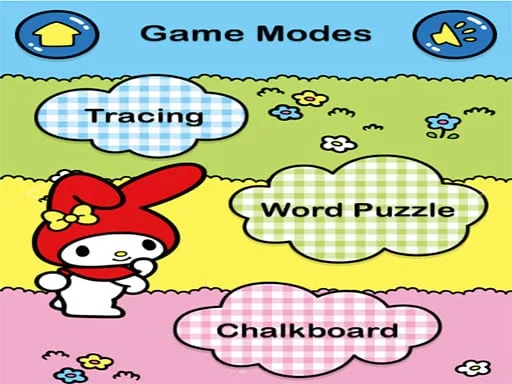
The controls are simple enough for toddlers but precise enough for skill growth. Players grab the mouse, follow the glowing outline, and watch the letter appear in vibrant color. Each successful trace unlocks a new character cameo—sometimes even a surprise Hello Kitty cameo for extra motivation.
Winning Tips & Progression
Start with the big, bold letters. The larger strokes let kids get comfortable with the mouse grip before moving to smaller, more intricate shapes. Keep sessions short—five to ten minutes keeps focus sharp and prevents frustration. When a child masters a letter, the game rewards them with a splash of red confetti and a quick vocal cheer from My Melody. Use that moment to reinforce the sound out loud; repetition cements learning.
Mix up the practice. Switch between uppercase and lowercase forms to build flexibility. Encourage kids to trace the same letter in different colors; the visual variety boosts memory retention. If your child loves Hello Kitty, set a goal: finish the whole alphabet and unlock the special Hello Kitty badge. The badge appears as a shiny icon on the main menu, giving a sense of achievement that fuels the next session.
Watch the progress chart at the top right. It shows a clear percentage for each letter, letting parents spot strengths and gaps instantly. If a letter lags, revisit it with a “draw‑only” mode—no sound, just the line. This isolates the motor skill and helps the child focus on shape accuracy.
Remember, the game is designed for kids, but it also offers a quiet mode for older siblings who want to practice handwriting without the cartoon fanfare. The red cursor stays visible, guiding even the most tentative hand.
Ready to turn screen time into a powerful learning session? Grab MyMelody ABC Tracing now and watch your children draw, pronounce, and master the alphabet—all while enjoying the charm of My Melody. Visit UfreeGames for more kid‑friendly titles that blend fun and education. Start tracing today and see the letters come alive!
Use Your Mouse