Minecraft Flappy Creeper – The Arcade Twist That Makes You Flap Like a Pro
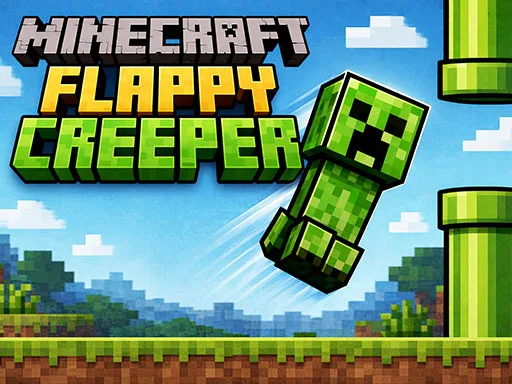
Imagine a creeper that can’t explode, only bounce. In this hyper‑fast side‑scroller, you guide that green menace through pixel‑perfect gaps, timing each tap to stay airborne. Every successful pass racks up points, and the world of blocky caves scrolls faster, demanding sharper reflexes. If you love the frantic feel of flappybird and the sandbox vibe of Minecraft, this is the skill‑test you’ve been hunting. UfreeGames packs the thrill into a single‑handed tap, turning casual minutes into an addictive arcade sprint.
Mechanics
The control scheme is brutally simple: one tap, one lift. Tap the screen or click the mouse to give the creeper a burst of upward force. Release, and gravity pulls it down. The rhythm you create is the only thing separating a high score from a crash‑and‑burn.
- Mouse click or tap to play
Strategy
Mastering Minecraft Flappy Creeper isn’t just about reflexes; it’s about reading the tunnel. Early pipes are spaced wide, letting you get a feel for the creeper’s weight. As you progress, gaps shrink and obstacles appear in clusters. Here’s how to keep the momentum:
- Find the sweet spot. The creeper’s lift peaks after a tap. Time your next tap just before the ascent peaks to maintain a smooth glide.
- Stay low, then rise. The lower you fly, the easier it is to dodge high blocks. When a low‑wide obstacle looms, dip down, then surge upward for the next gap.
- Watch the rhythm. The game’s speed ramps up in predictable intervals. Sync your taps to the beat; think of it as a flappybird rhythm session.
- Use the edges. The tunnel walls are not just boundaries—they’re visual cues. The moment a wall slides out of view, a new obstacle is about to appear.
- Practice micro‑adjustments. A half‑tap can correct a drift without breaking your altitude flow. Small tweaks preserve your skill curve.
Every run ends in a spectacular crash, but each failure teaches you where your timing slipped. Keep an eye on the score multiplier that spikes after ten consecutive passes. It rewards precision and encourages you to push your skill further. The endless mode loops, but the difficulty curve guarantees fresh challenges. If you can survive the final surge, you’ll have beaten the average arcade high score and earned bragging rights among friends.
Don’t let the creeper sit idle. Jump into Minecraft Flappy Creeper now, tap your way to the top of the leaderboards, and prove you’ve got the arcade skill to dominate this block‑filled sky.
Mouse click or tap to play