Lilo and Stitch Coloring Book – A Fresh Spin on Classic Cartoon Fun
Kids and grown‑ups alike love to grab a virtual crayon when Lilo and Stitch pop up on screen. The cartoon duo brings Hawaii vibes, mischief, and a ton of color options. You pick any of the eight hand‑drawn pages, then start filling in the scene. Whether you’re a boy who likes bold blues or a girl who prefers pastel pinks, the palette adapts instantly. The simple mouse drag feels like real drawing, and the satisfaction of watching a blank outline turn into a vivid masterpiece keeps you glued. UfreeGames built this title for quick bursts or marathon sessions—no download, no hassle.
How to Play Lilo and Stitch Coloring Book
Controls are stripped down to the essentials. No menus, no tutorials—just click, drag, color. The core command is simple: Use the Mouse Drag to Coloring. Follow the checklist below to get started:
- Select a page from the eight available illustrations.
- Choose a hue from the bottom bar. Colors range from neon green to soft lavender.
- Adjust brush size with the slider under the canvas.
- Hold the left mouse button and drag across the outline to color.
- Tap the eraser icon to fix mistakes instantly.
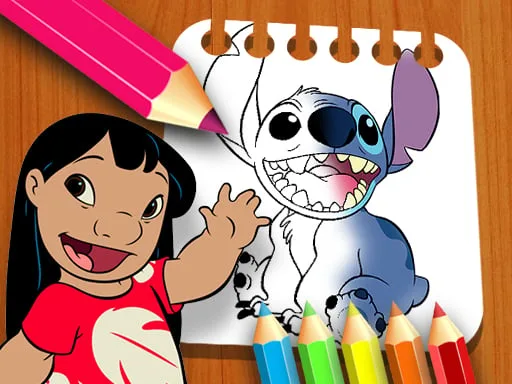
Strategy isn’t about high scores; it’s about mastering the flow. Start with large brush strokes to block out background tones, then switch to finer tips for character details. Boys who love action can experiment with bright, saturated shades, while girls who enjoy softer aesthetics might layer pastel tones for depth. Unlock new palettes by completing each page without using the eraser—this tiny challenge pushes you to plan each drawing move. The more pages you finish, the more intricate the next set becomes, keeping the experience fresh and addictive.
Ready to bring Lilo, Stitch, and a whole rainbow of colors to life? Jump into the coloring frenzy now and see why fans keep coming back. Play Lilo and Stitch Coloring Book today and experience the crisp, responsive design that only UfreeGames can deliver. Your next masterpiece is just a drag away.
Use the Mouse Drag to Coloring