Controls
- WASD = move
- E = interact with objects
- Left-click = build / use object
- Right-click = throw object
- Space = exit from admin's computer
Build Mode
- T = sell object
- F = place object
- Q = rotate object to the left
- E = rotate object to the right
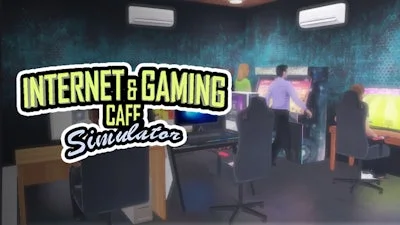


Run a buzzing internet hub where gamers, coders, and casual browsers collide. Every PC, snack bar, and neon sign is yours to design, upgrade, and profit from. Master the art of simulation and watch your modest café explode into the city’s top gaming destination.
Controls are razor‑sharp: WASD = move, E = interact, Left‑click = build/use, Right‑click = throw, Space = exit admin’s PC, Build Mode, T = sell, F = place, Q = rotate left, E = rotate right. Master them and the café runs itself.
Start small: a handful of PCs, cheap snacks, and basic Wi‑Fi. Upgrade bandwidth before expanding seating, then add premium gaming rigs to attract high‑spending patrons. Balance building costs with daily revenue; every upgrade boosts your management score and unlocks new décor. Keep an eye on customer satisfaction—slow PCs or empty snack bars will drain profits fast.
Seasonal events, limited‑time skins, and leaderboards push you to out‑perform rival cafés. Re‑invest earnings into faster CPUs, sleek chairs, or a VR arena to dominate the market. The deeper you dive, the more complex the supply chain, and the more rewarding the payoff.
Ready to turn a humble internet corner into a thriving business empire? Grab Internet and Gaming Cafe Simulator from UfreeGames and start building, managing, and dominating today.

We use cookies to help you navigate efficiently and perform certain functions. You will find detailed information about all cookies under each consent category below.
The cookies that are categorised as "Necessary" are stored on your browser as they are essential for enabling the basic functionalities of the site.
Necessary cookies are required to enable the basic features of this site, such as providing secure log-in or adjusting your consent preferences. These cookies do not store any personally identifiable data.
Functional cookies help perform certain functionalities like sharing the content of the website on social media platforms, collecting feedback, and other third-party features.
Analytical cookies are used to understand how visitors interact with the website. These cookies help provide information on metrics such as the number of visitors, bounce rate, traffic source, etc.
Advertisement cookies are used to provide visitors with customised advertisements based on the pages you visited previously and to analyse the effectiveness of the ad campaigns.
We also use third-party cookies that help us analyse how you use this website, store your preferences, and provide the content and advertisements that are relevant to you. These cookies will only be stored in your browser with your prior consent.
You can choose to enable or disable some or all of these cookies but disabling some of them may affect your browsing experience.