Your Ad Here

Unlock the Artistry Within with UfreeGames' Cross Stitch

Get ready to unleash your inner artist with Cross Stitch, the ultimate embroidery coloring game from UfreeGames. In this captivating game, you'll embark on a creative journey where precision and patience meet pure artistry. Your mission is to fill the labeled cells with the correct colors, bringing 50 beautifully designed drawings to life.

With each completed design, you'll feel a sense of accomplishment and pride in your artistic skills. The game's difficulty level increases as you progress, challenging you to stay focused and creative. But don't worry, the soothing atmosphere and gentle sound effects will keep you calm and engaged throughout the experience.
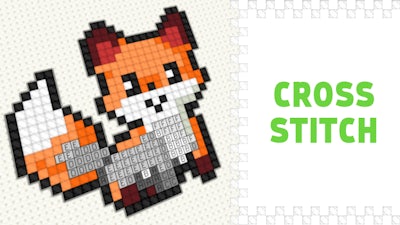
Cross Stitch Gameplay

So, how do you play Cross Stitch? It's easier than you think!

  • Use your mouse to drag the right-click button and move the canvas, or left-click to color in the cells with the selected tool.
  • Mouse-scroll to zoom in or out of the canvas as needed.
  • Press the 'B' key to switch to the paint tool, or the 'H' key to switch to the move tool.
  • On mobile devices, use one finger to color in the cells or move the canvas, and two fingers to zoom and move the canvas (recommended with the 'move' tool).

With these simple controls, you'll be creating stunning artwork in no time. And as you progress through the game, you'll discover new strategies and techniques to enhance your coloring skills.

So, are you ready to get hooked on Cross Stitch? Play now and experience the thrill of creating something truly beautiful. And when you're ready to explore more games like this, visit UfreeGames for the latest releases and updates.


Instructions:

Controls

PC Controls

  • Drag right-click = move the canvas
  • Left-click = coloring / moving the canvas (depending on the selected tool)
  • Mouse-scroll = zoom in / out
  • B = paint tool
  • H = move tool

Mobile Controls

  • One finger = coloring / moving the canvas (depending on the selected tool)
  • Two fingers = zoom and move (it is recommended to do this with the "move" tool so as not to accidentally mess up)
Customise Consent Preferences Close

We use cookies to help you navigate efficiently and perform certain functions. You will find detailed information about all cookies under each consent category below.

The cookies that are categorised as "Necessary" are stored on your browser as they are essential for enabling the basic functionalities of the site.

Always Active

Necessary cookies are required to enable the basic features of this site, such as providing secure log-in or adjusting your consent preferences. These cookies do not store any personally identifiable data.

Functional cookies help perform certain functionalities like sharing the content of the website on social media platforms, collecting feedback, and other third-party features.

Analytical cookies are used to understand how visitors interact with the website. These cookies help provide information on metrics such as the number of visitors, bounce rate, traffic source, etc.

Advertisement cookies are used to provide visitors with customised advertisements based on the pages you visited previously and to analyse the effectiveness of the ad campaigns.

We also use third-party cookies that help us analyse how you use this website, store your preferences, and provide the content and advertisements that are relevant to you. These cookies will only be stored in your browser with your prior consent.

You can choose to enable or disable some or all of these cookies but disabling some of them may affect your browsing experience.