Craft 3D – A Sandbox Playground from UfreeGames
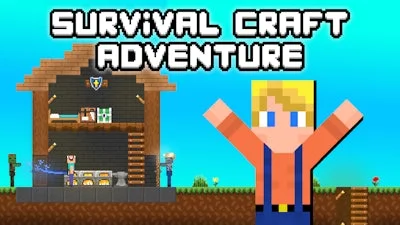
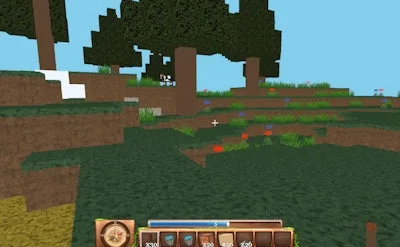
Craft 3D drops you into a limitless 3D sandbox that feels familiar to Minecraft fans but runs on its own fast‑paced engine. Every block you place reshapes the world, letting you craft towering skyscrapers, hidden caves, or sprawling villages in minutes. The game rewards curiosity; the moment you start stacking, the urge to build something bigger takes over. That’s why players keep coming back – the freedom to create is endless.
Mastering the controls is the first step to unlocking the full potential of this building adventure. Below is the complete key map:
- Movement: WASD or Arrow Keys – walk, sprint, and retreat.
- Vertical Shift: R – rise up, F – drop down.
- View: Mouse – look around.
- Create: Left click – place a block.
- Destroy: Right click – break a block.
- Floor Duplicator: Press P – copy the current floor.
- Return Home: X – teleport to your base.
- Block Color Selection: 0 Grey, 1 Black, 2 White, 3 Red, 4 Green, 5 Blue, 6 Yellow.
Craft 3D Strategy & Progression
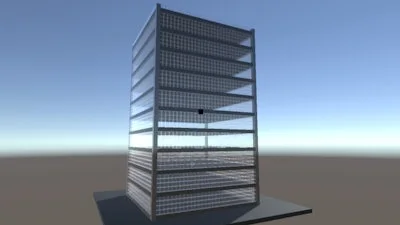
Success in Craft 3D isn’t just about placing blocks; it’s about planning layers. Start with a solid foundation, then use the floor duplicator (P) to stack identical stories quickly. Mix colors to create visual landmarks – a red roof on a blue tower stands out in any landscape. Explore the terrain generator for pre‑made objects that can serve as inspiration or instant upgrades. As you gather resources, upgrade your tools to speed up block placement and destruction. The more efficient you become, the faster you can experiment with complex structures, keeping the gameplay loop fresh and addictive.
Ready to build your own universe? Jump into Craft 3D today and experience the ultimate sandbox from UfreeGames. Grab a block, shape a world, and watch your imagination take shape in real time.