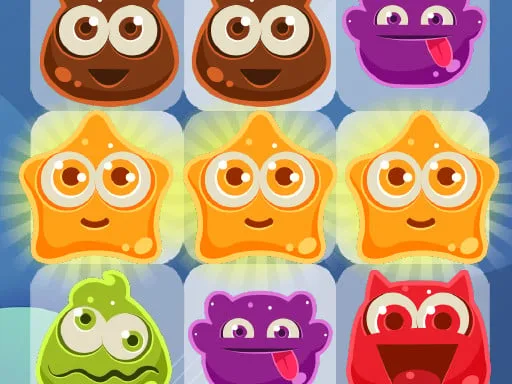
Unleash the Colorful Chaos with ColorTris, the Ultimate 2D Puzzle Game from UfreeGames!
Get ready to relive the classic tile-matching magic of Tetris in a brand-new, color-infused way with ColorTris. This addictive puzzle game is designed to challenge your skills and keep you hooked for hours on end. With vibrant, lively colorful themes to match your mood, ColorTris is the perfect game to play on your controller, keyboard, or mobile device.
- Full controller support for a seamless gaming experience
- Play with keyboard, mouse, touch, gamepad, or any other device you prefer
- Customize your controls to suit your gaming style
Here's how to play:
- Close menu: Keyboard - [ Esc / X / Numpad - ] or Gamepad - [ Cancel (East) ]
- Go back: Keyboard - [ Esc / X / Numpad - ] or Gamepad - [ Cancel (East) ]
- Pause game: Keyboard - [ Esc / X / Numpad - ] or Gamepad - [ Cancel (East) ]
- Navigate menu buttons: Keyboard - [ WASD / Arrow keys ] or Gamepad - [ D-pad / Any stick ]
- Move left: Keyboard - [ A / Left arrow ] or Gamepad - [ D-pad Left / Any stick Left ]
- Move right: Keyboard - [ D / Right arrow ] or Gamepad - [ D-pad Right / Any stick Right ]
- Move down: Keyboard - [ S / Down arrow ] or Gamepad - [ D-pad Down / Any stick Down ]
- Slam down: Keyboard - [ Shift / K ] or Gamepad - [ West ]
- Rotate clockwise: Keyboard - [ W / L / Up arrow ] or Gamepad - [ North / D-pad Up / Right shoulder ]
- Rotate anti-clockwise: Keyboard - [ Ctrl / J ] or Gamepad - [ Left shoulder ]
- Full screen/window mode: Keyboard - [ F11 ]
Mastering the art of ColorTris requires a combination of skill and strategy. Here are a few tips to help you get started:
- Focus on creating solid lines to clear multiple tiles at once
- Use the 'Slam Down' feature to quickly clear large sections of the grid
- Experiment with different rotation techniques to find what works best for you
Ready to give ColorTris a try? Head over to ColorTris Demo to experience the colorful chaos for yourself. Don't forget to check out more exciting games from UfreeGames at UfreeGames!
So, what are you waiting for? Download ColorTris today and get ready to unleash your inner puzzle master!
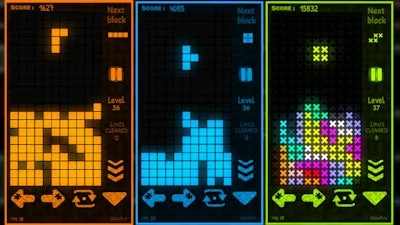
ColorTris is available now on your preferred platform. Stay tuned for updates, new features, and more!
Instructions:
Controls
Full controller support : Can be played with keyboard, mouse, touch, gamepad, etc.
Go back, close menu, pause game
- Keyboard - [ Esc / X / Numpad - ]
- Gamepad - [ Cancel (East) ]
Click or press menu buttons
- Keyboard - [ Submit (Enter) / Space ]
- Gamepad - [ Submit (South) ]
Navigate menu buttons
- Keyboard - [ WASD / Arrow keys ]
- Gamepad - [ D-pad / Any stick ]
Move left
- Keyboard - [ A / Left arrow ]
- Gamepad - [ D-pad Left / Any stick Left ]
Move right
- Keyboard - [ D / Right arrow ]
- Gamepad - [ D-pad Right / Any stick Right ]
Move down
- Keyboard - [ S / Down arrow ]
- Gamepad - [ D-pad Down / Any stick Down ]
Slam down
- Keyboard - [ Shift / K ]
- Gamepad - [ West ]
Rotate clockwise
- Keyboard - [ W / L / Up arrow ]
- Gamepad - [ North / D-pad Up / Right shoulder ]
Rotate anti-clockwise
- Keyboard - [ Ctrl / J ]
- Gamepad - [ Left shoulder ]
Full screen / window mode