Controls
- Left-click = place the soldiers
- Mouse-wheel = zoom in and out
- Space = pause


In a crumbling 2048‑year laboratory, a rogue virus has turned the planet into a zombie infested nightmare. Dr. Wong’s clone soldiers are the last line of defense. Your job? Drop them on the battlefield, merge them into beefier units, and wipe out the undead horde before the virus spreads. The thrill of a classic match‑3 puzzle meets the urgency of a tower defense showdown—perfect for anyone who loves pixel‑sharp action and strategic depth.
The controls are stripped down to the essentials, so you can focus on the chaos. Place soldiers, zoom the battlefield, and pause the action with three simple inputs:
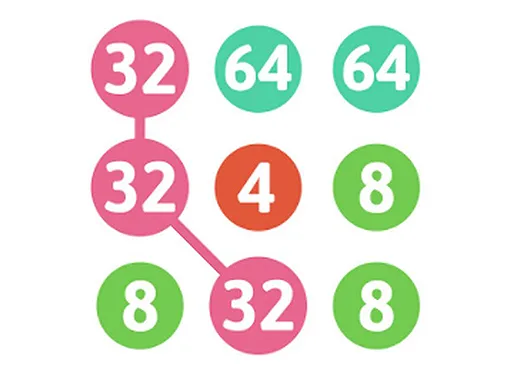
Each clone carries a numeric value. When two of the same rank touch, they merge into the next level—just like the iconic 2048 puzzle. The higher the rank, the more damage the unit deals, turning a simple placement into a powerful strategy move. Keep an eye on the zombie waves; they’ll swarm faster as you climb the merge ladder. The blend of pixel art and fluid zoom lets you spot weak spots and set up chain reactions that annihilate entire hordes.
Success hinges on timing and board awareness. Early on, place low‑level clones near the edges to buy yourself breathing room while the first zombie wave tests your defenses. As you accumulate higher‑rank units, shift focus to the center where the biggest tower defense lines form. Prioritize merging units that sit on high‑traffic paths—each upgrade not only boosts firepower but also expands the blast radius, clearing multiple zombies in one swipe.
Don’t forget the match‑3 mindset: aim for three‑in‑a‑row merges whenever possible. A triple merge instantly creates a top‑tier soldier, turning a looming threat into a decisive counter‑strike. Keep your zoom level tight when the action spikes; a closer view reveals tiny gaps where a single zombie can slip through. Use the pause button to plan the next big combo without the pressure of incoming waves.
Ready to dominate the infected planet? Jump into the fray, merge your way to supremacy, and prove you’re the ultimate strategist. Grab Clone2048 now and experience the perfect mash‑up of puzzle, tower defense, and zombie‑crushing action—all crafted by the team at UfreeGames. Your clones are waiting—place, merge, and win.

We use cookies to help you navigate efficiently and perform certain functions. You will find detailed information about all cookies under each consent category below.
The cookies that are categorised as "Necessary" are stored on your browser as they are essential for enabling the basic functionalities of the site.
Necessary cookies are required to enable the basic features of this site, such as providing secure log-in or adjusting your consent preferences. These cookies do not store any personally identifiable data.
Functional cookies help perform certain functionalities like sharing the content of the website on social media platforms, collecting feedback, and other third-party features.
Analytical cookies are used to understand how visitors interact with the website. These cookies help provide information on metrics such as the number of visitors, bounce rate, traffic source, etc.
Advertisement cookies are used to provide visitors with customised advertisements based on the pages you visited previously and to analyse the effectiveness of the ad campaigns.
We also use third-party cookies that help us analyse how you use this website, store your preferences, and provide the content and advertisements that are relevant to you. These cookies will only be stored in your browser with your prior consent.
You can choose to enable or disable some or all of these cookies but disabling some of them may affect your browsing experience.