Your Ad Here
Click to play
x
Controls

Controls

Keyboard and Mouse

  • (W)(A)(S)(D) / (Arrowkeys) : Drive
  • (Space) : Nitro
  • (Shift) : Drift
  • Double-Tap (Shift): U-Turn
  • (Z) / (LMB) : Fire Primary
  • (X) / (RMB) : Fire Secondary
  • (F) / (MMB) : Use Special Weapon
  • (C) : Look Behind
  • (1) - (0): Dialog Hotkeys
  • Hold (`) : Show Dialog Wheel
  • (V) : HUD Toggle
  • (ESC) / (P) : Pause

Gamepad

  • (Left stick) : Steer
  • (Right trigger) : Accelerate
  • (Left trigger) : Decelerate
  • (A) : Nitro
  • (B) : Drift
  • Double-Tap (B) : U-Turn
  • (Right shoulder) : Fire Primary
  • (Left shoulder) : Fire Secondary
  • (Y) : Use Special Weapon
  • (Right stick down) : Look Behind
  • Hold (D-Pad Up) : Show Dialog Wheel
  • (D-Pad Down) : HUD Toggle
  • (Start) : Pause
Burnin' Rubber Multiplayer

Burnin' Rubber Multiplayer

Burnin' Rubber Multiplayer
Click to play
This game is not available on mobile.
rotate phone

Burnin' Rubber Multiplayer – Fast‑Lane Carnage

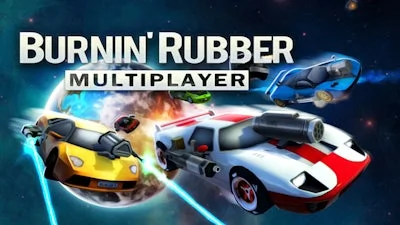
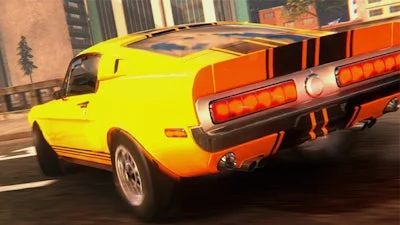
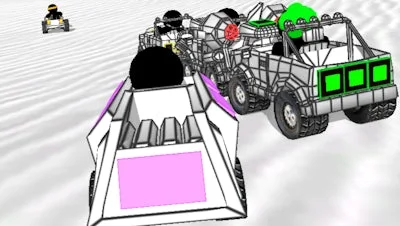
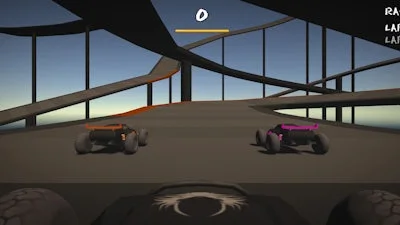
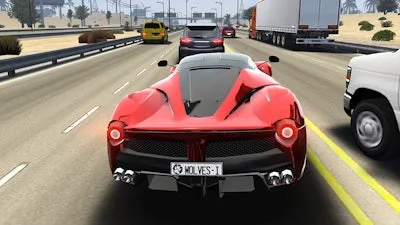
Racing, shooting, and pure mayhem collide in Burnin' Rubber Multiplayer. Grab a Car, hit the arena, and watch opponents crumble under your nitro‑fueled assaults. This 3D showdown isn’t just about speed; it’s about dominating every corner, every drift, every blast. Friends or strangers, you’ll feel the rush the moment the first weapon fires and the first rival car explodes. If you crave instant, high‑octane action that rewards skill and chaos alike, this is the title that will keep you glued to the screen.

Mechanics

Master the controls, then unleash havoc. Whether you’re on keyboard‑mouse or gamepad, every button maps to a destructive move. The layout is built for rapid combos, allowing you to Destroy opponents before they even realize you’re there.

  • Controls Keyboard and Mouse (W)(A)(S)(D) / (Arrowkeys) : Drive
  • (Space) : Nitro
  • (Shift) : Drift
  • Double‑Tap (Shift): U‑Turn
  • (Z) / (LMB) : Fire Primary
  • (X) / (RMB) : Fire Secondary
  • (F) / (MMB) : Use Special Weapon
  • (C) : Look Behind
  • (1) - (0): Dialog Hotkeys
  • Hold (`) : Show Dialog Wheel
  • (V) : HUD Toggle
  • (ESC) / (P) : Pause
  • Gamepad (Left stick) : Steer
  • (Right trigger) : Accelerate
  • (Left trigger) : Decelerate
  • (A) : Nitro
  • (B) : Drift
  • Double‑Tap (B) : U‑Turn
  • (Right shoulder) : Fire Primary
  • (Left shoulder) : Fire Secondary
  • (Y) : Use Special Weapon
  • (Right stick down) : Look Behind
  • Hold (D‑Pad Up) : Show Dialog Wheel
  • (D‑Pad Down) : HUD Toggle
  • (Start) : Pause
Burnin

Strategy

Winning isn’t just about hitting the accelerator. Start each match by scouting the map: high‑ground spots give line‑of‑sight for sniping, while tight corridors favor drift‑based ambushes. Pair nitro bursts with a well‑timed U‑Turn to slip behind a rival’s blind spot, then unleash a primary weapon to Destroy their chassis. Upgrade your Car wisely—speed helps you chase, armor lets you survive a barrage, and special weapons add surprise factor. In long‑run Multiplayer ladders, focus on consistency: land three clean kills in a row, then cash in for a permanent weapon slot. The more you adapt to opponents’ habits, the faster you climb the leaderboards.

Ready to dominate the arena? Jump into the chaos now, lock in your favorite ride, and show the community why you’re the ultimate road‑warrior. Grab Burnin' Rubber Multiplayer from UfreeGames and start wrecking today.

Instructions:

Controls

Keyboard and Mouse

  • (W)(A)(S)(D) / (Arrowkeys) : Drive
  • (Space) : Nitro
  • (Shift) : Drift
  • Double-Tap (Shift): U-Turn
  • (Z) / (LMB) : Fire Primary
  • (X) / (RMB) : Fire Secondary
  • (F) / (MMB) : Use Special Weapon
  • (C) : Look Behind
  • (1) - (0): Dialog Hotkeys
  • Hold (`) : Show Dialog Wheel
  • (V) : HUD Toggle
  • (ESC) / (P) : Pause

Gamepad

  • (Left stick) : Steer
  • (Right trigger) : Accelerate
  • (Left trigger) : Decelerate
  • (A) : Nitro
  • (B) : Drift
  • Double-Tap (B) : U-Turn
  • (Right shoulder) : Fire Primary
  • (Left shoulder) : Fire Secondary
  • (Y) : Use Special Weapon
  • (Right stick down) : Look Behind
  • Hold (D-Pad Up) : Show Dialog Wheel
  • (D-Pad Down) : HUD Toggle
  • (Start) : Pause
Customise Consent Preferences Close

We use cookies to help you navigate efficiently and perform certain functions. You will find detailed information about all cookies under each consent category below.
The cookies that are categorised as "Necessary" are stored on your browser as they are essential for enabling the basic functionalities of the site.

Always Active

Necessary cookies are required to enable the basic features of this site, such as providing secure log-in or adjusting your consent preferences. These cookies do not store any personally identifiable data.

Functional cookies help perform certain functionalities like sharing the content of the website on social media platforms, collecting feedback, and other third-party features.

Analytical cookies are used to understand how visitors interact with the website. These cookies help provide information on metrics such as the number of visitors, bounce rate, traffic source, etc.

Advertisement cookies are used to provide visitors with customised advertisements based on the pages you visited previously and to analyse the effectiveness of the ad campaigns.

We also use third-party cookies that help us analyse how you use this website, store your preferences, and provide the content and advertisements that are relevant to you. These cookies will only be stored in your browser with your prior consent.

You can choose to enable or disable some or all of these cookies but disabling some of them may affect your browsing experience.